 Temporal
01
Temporal interpolation
The model looks at neighboring frames and reuses stable detail, so moving subjects stay solid while noise fades.
Topaz video upscaling is the fastest way to lift old clips and new exports to a higher resolution without re-shooting. Topaz Labs applies AI models frame by frame, so you can enlarge video while keeping edges, grain, and motion intact. This guide covers the one-line value, the three mechanisms that matter, a step-by-step workflow, and the limits to know before you queue a render.
Give Topaz Labs a low-resolution clip and you get a larger file that holds detail instead of pixelating. Topaz Labs keeps the workflow local, so footage never leaves your machine. That makes it useful for archival work, client deliverables, and any project where privacy matters as much as resolution.
Topaz Labs splits the work into three jobs, each handled by a dedicated model.
Temporal
The model looks at neighboring frames and reuses stable detail, so moving subjects stay solid while noise fades.
 Spatial
Edges, textures, and fine patterns are rebuilt at the target resolution instead of being stretched like a bitmap.
 Cleanup
Block noise and banding are reduced before the upscale pass, giving the AI cleaner data to work from.
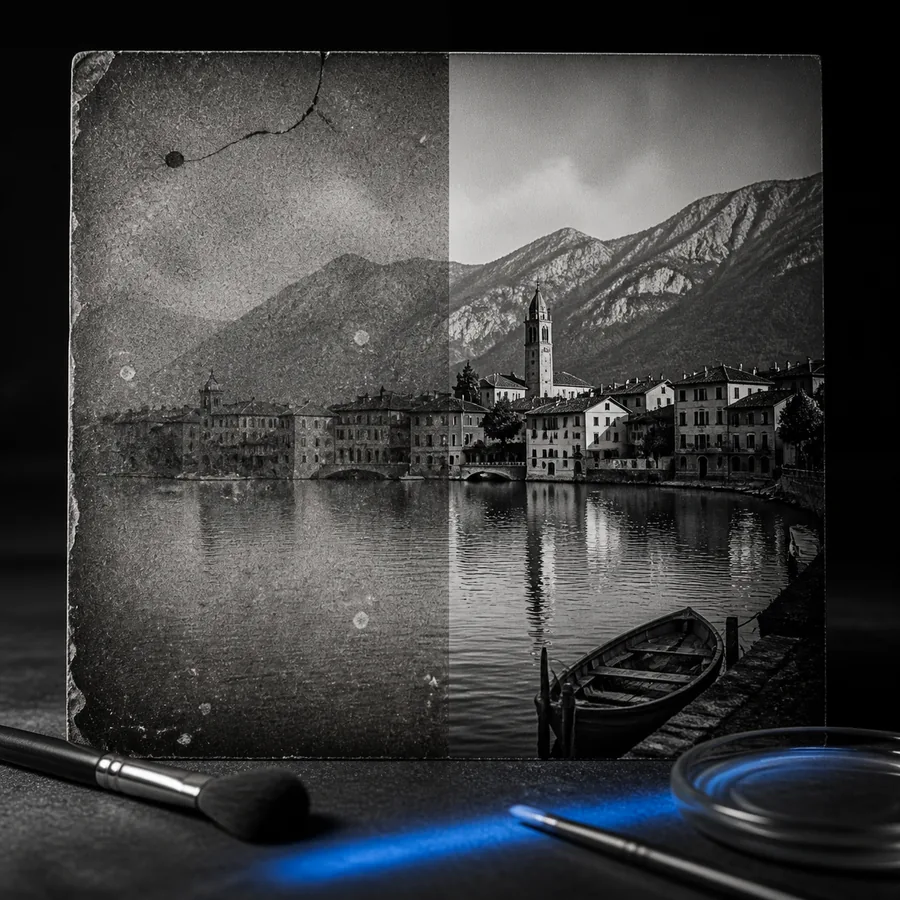
This before/after pair shows the same frame after a 2x Topaz Labs render; the motion path stayed intact while the edges were rebuilt.
A predictable workflow keeps renders clean and avoids wasted hours. Topaz Labs offers presets, but the manual path gives you control.
Export from your editor at the highest bitrate available. Do not upscale in the timeline first; leave that to the AI.
Match the model to the footage: progressive for modern clips, interlaced for old tape, and animation for cartoons or screen recordings.
Start at 2x for moving footage. Reserve 4x for clips with little motion, where the model has more frames to borrow from.
Watch the output at 100% and check edges for ghosting. If motion warps, lower the multiplier or enable motion estimation.
A festival delivery needed a 4K master from a 1080p camera test. The Topaz Labs render removed the risk of re-shooting.
Start with the topaz video toolsOld SD footage was cleaned and enlarged before color grading, keeping the original framing intact.
Pair it with topaz labs photo restorationA single frame became a usable hero image after a separate still pass, without leaving the project.
Use the topaz photo workflowVertical crops from a horizontal source were upscaled and sharpened for mobile feeds in one session.
Connect it to the topaz image pipelineThumbnails and mid-roll stills were enlarged from the same render, saving a separate export.
Finish stills with the topaz image upscalerNo AI removes every limitation. These are the cases where Topaz Labs needs the most help.
Long clips can take hours on integrated GPUs. The model is doing millions of inferences per frame.
Workaround: render shorter segments in a queue and use 2x instead of 4x.
Quick pans and whip cuts can smear or warp because the temporal model has less stable data to lock onto.
Workaround: enable motion estimation and split the shot before processing.
A 720p web rip cannot invent true detail. The AI can clean edges, but it cannot recover data that was never recorded.
Workaround: find a less compressed master or apply a light denoise first.
The web tool is not a hands-off render farm. Each clip needs model and multiplier decisions.
Workaround: process one scene at a time and reuse settings for matching shots.
Yes. Topaz Labs can refine 4K too, usually for noise reduction or a cleaner 8K deliverable. The gains are smaller than from 720p to 4K, but compression artifacts are still reduced.
Start with 2x for most footage. The model has enough adjacent frames to stabilize motion, and the render time stays practical. Move to 4x only when the source is clean and movement is controlled.
Mild focus softness responds well. Heavy motion blur or out-of-focus footage cannot be fully recovered because the missing detail was never recorded. Clean the source first, then upscale.
No. Video upscaling affects the image track only. Audio passes through untouched, so you can keep your final mix and sync without rework.